BestInvest
Home page
A quick look at the home page enables users to easily grasp crucial information. To enhance the user experience, we not only provide quick access to daily essential actions but also offer secondary ones under a prominent "more" button. Furthermore, our research showed that users prefer to view data in graph form. Therefore, we designed the home page to include an easily accessible graph, which can be pulled down for a full-screen display.


Investment feed
According to our internal research, most users reached investment pages already knowing what stocks or portfolios to consider, while new investors appreciated some guidance.
The BestInvest app provided users with a solution, making it easy for them to find the best next step, stay informed of hot market trends, and access news tailored to their active investments, all in one convenient investment page. This resulted in higher daily app usage and greater revenue for the business.

Buy Stocks
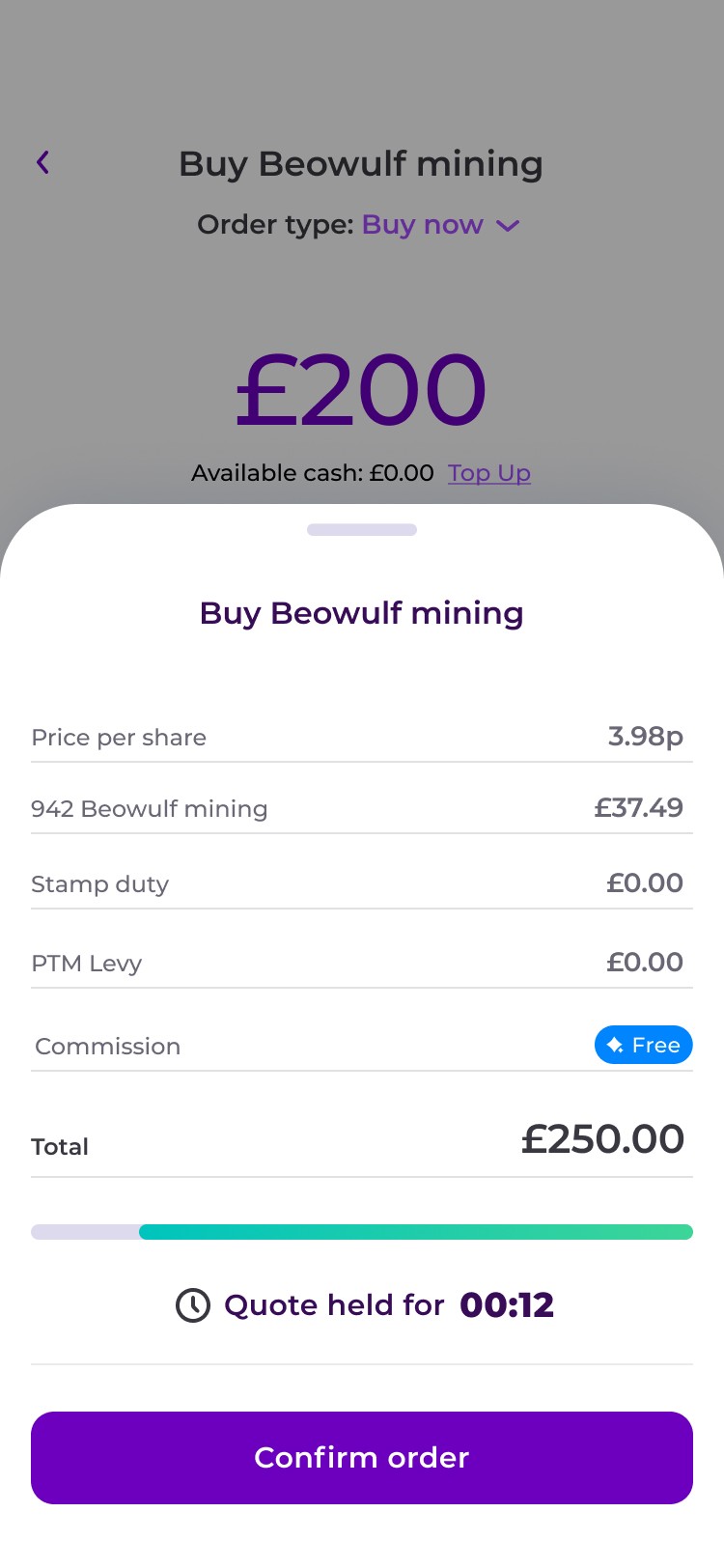
We designed the stock-buying journey around a clear sequence: enter an investment amount, review the order, and confirm the purchase. Users can see the number of shares, price, and a breakdown of charges before committing, with a countdown showing how long their quote remains available. Payment options sit within the flow, while the final confirmation brings together the order status, transaction details, and a direct link to view transactions.


Life Plan
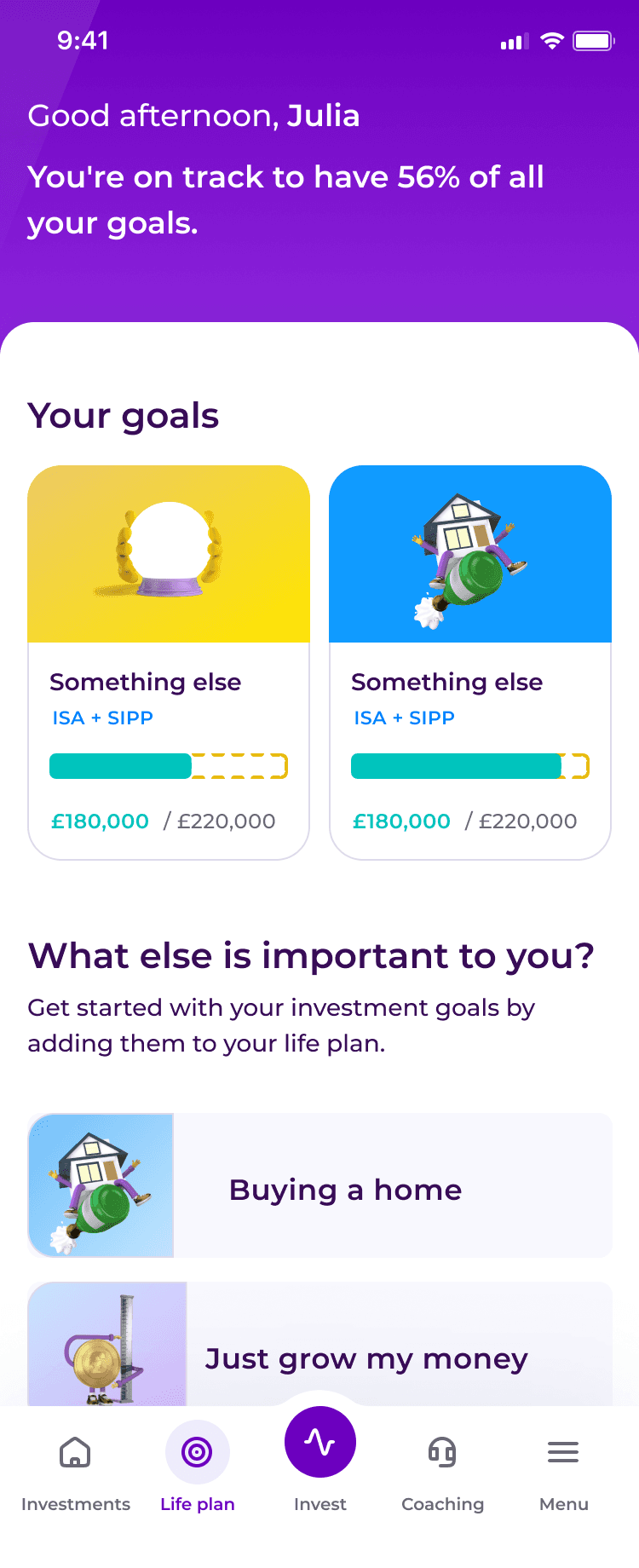
We designed Life Plan to connect investing with personal goals, such as buying a home or preparing for retirement. An overview brings each goal and its progress into one place, while detailed views show contributions, targets, and projected outcomes over time. Charts help users understand how different market scenarios could affect their plans, with clear actions to add money or edit a goal as their priorities change.


Download the app